A 301 redirect can help a gambling website manage URL changes, but an incorrect or outdated rule can send visitors away from a page that should still be accessible. This can happen when a casino landing page is restored, a domain migration is reversed, or a previous URL change needs correcting. Removing the redirect is not always as simple as deleting a rule, especially when it is controlled by a server configuration, WordPress plugin, or CDN. If you don’t identify the source first, the redirect may keep working or create new problems.
This guide explains how to determine where the redirect originates, remove or modify the responsible rule, and restore the intended URL behavior. It also covers how to test the change, check the relevant SEO signals, and investigate unexpected redirects that may indicate a security issue.
Can a 301 Redirect Be Reversed?
Yes, you can reverse a 301 redirect. The process involves changing or removing the rule that sends visitors from one URL to another, then restoring the intended behavior of the original page. The correct approach depends on where the redirect is configured and whether the destination URL should remain active.
For example, if a gambling website redirects an existing casino landing page to a replacement URL but later needs the original page again, it must review and adjust the redirect rule. The original page must also be available to serve content. Simply removing the rule will not restore a page that has been deleted or replaced.
Reversing a redirect does not guarantee that Google will immediately restore the original URL in search results or return its previous rankings. Search engines need time to recrawl and reassess the changed URLs.
Identify Where the Redirect Comes From
Before removing a 301 redirect, determine what is causing it and where it is configured. Start by testing the affected URL to identify its destination and whether the behavior affects one casino landing page, several betting pages, or an entire gambling domain. This helps narrow down the source of the problem.
The redirect may be configured in a server file such as .htaccess, an Nginx configuration, a WordPress plugin, the website’s application, or a CDN. Removing a rule from one location will not resolve the issue if another active configuration still sends visitors to the same destination.
Also, establish whether the redirect was intentional. It may have been added during a URL change or domain migration. If it appeared unexpectedly, investigate its source before removing it. An unfamiliar destination may warrant a security check, but it doesn’t automatically mean the website has been compromised.
How to Remove or Reverse the Redirect
Once you identify the redirect’s source, change the rule sending visitors to the wrong URL. Before making changes, back up the relevant configuration so you can restore it if something goes wrong.
Remove or Modify the Existing Redirect Rule
Find the rule responsible for the unwanted behavior and remove or edit it. The location depends on the website’s setup. On Apache servers, check the relevant .htaccess file or virtual host configuration. On Nginx, review the server block for return or rewrite directives. For WordPress, check the active redirect plugin and relevant settings. If a CDN or proxy manages redirects, review its redirect rules as well.
Change only the rule responsible for the redirect. Adding another redirect without understanding how it interacts with the existing one can create a redirect chain or loop.
Restore the Original URL and Page
After changing the rule, confirm that the original page still exists and serves the correct content. If it was deleted or replaced, restore the page or recreate it as needed. Removing the redirect alone will not bring back missing content.
Decide what should happen to the destination URL based on whether it still serves a useful purpose. It may remain active, serve different content, or redirect to another relevant page. Do not automatically redirect it back to the original URL while the original rule is still active, as this can create a loop.
Test the Website After Reversing the Redirect
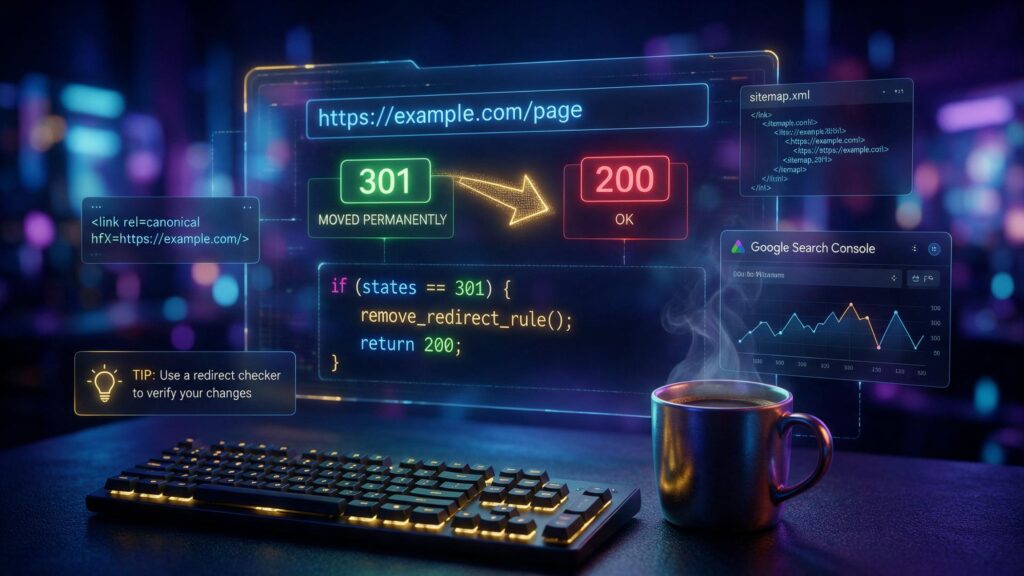
After changing the rule, test the affected URL to confirm that it behaves as intended. Use a redirect checker or inspect the HTTP response with a tool such as curl -I https://example.com/old-page, replacing the example URL with the affected page. Check the status code and any Location header that identifies a redirect destination. If the original page should load directly, it should no longer return the unwanted 301 response.
If the redirect persists, check for duplicate rules in the server configuration, CMS, application, or CDN. A browser may also retain a cached permanent redirect, so compare the result in a fresh browser session with a direct HTTP request. If the results differ, investigate caching before changing more settings. Test the former destination as well to rule out redirect loops or unnecessary chains.
Once the original URL returns the expected response and the redirect path is correct, you’ve verified the technical change. Search engine processing is separate and may take longer.
What Reversing a 301 Redirect Means for SEO
Reversing a 301 redirect affects how visitors and search engines access a page, so the website’s SEO signals must reflect the intended URL. If a gambling website restores an old casino landing page, its canonical tag, internal links, and XML sitemap should point to that URL if it is the version intended for indexing. Inconsistent signals can make it harder for Google to determine which URL should appear in search results.
After updating these elements, use Google Search Console to inspect the restored URL and check whether Google can access it for indexing. You can request indexing to help Google discover the change, but this does not guarantee that the page will be indexed or regain its previous ranking.
Monitor indexing status, organic traffic, and search performance over the following weeks. Google needs to recrawl and reassess the changed URLs, so results may take time to settle. Previous rankings and traffic are not guaranteed to return, particularly if the page’s content, backlinks, or other SEO factors have changed.
What to Do if the Redirect Was Unauthorized
If a gambling website suddenly redirects visitors to an unfamiliar domain, investigate whether the change was authorized. Possible causes include an unexpected configuration change, compromised administrator credentials, or injected code. An unfamiliar destination alone does not prove that the website has been hacked.
Check the following areas to identify the cause:
- Server and CDN settings: Review redirect rules for changes that were not authorized.
- CMS and application code: Check plugins, themes, scripts, and recent code changes for suspicious modifications.
- Administrator access: Review user accounts and access logs for unfamiliar activity.
- Website security: Investigate suspicious code and address any confirmed vulnerabilities or compromised credentials.
Remove the unauthorized redirect only after identifying its source, and resolve the underlying security issue to prevent it from returning. Then retest the affected URLs to confirm visitors reach the intended pages.
Conclusion
Reversing a 301 redirect on a gambling website starts with identifying where the redirect is configured and why it needs to be changed. Remove or modify the responsible rule, restore the intended page, and test the affected URLs to confirm they behave correctly. Update internal links, canonical tags, and the XML sitemap where necessary, then monitor Google Search Console for changes in indexing and search performance. The technical fix may be immediate, but search visibility can take longer to stabilize, and previous rankings are not guaranteed to return.