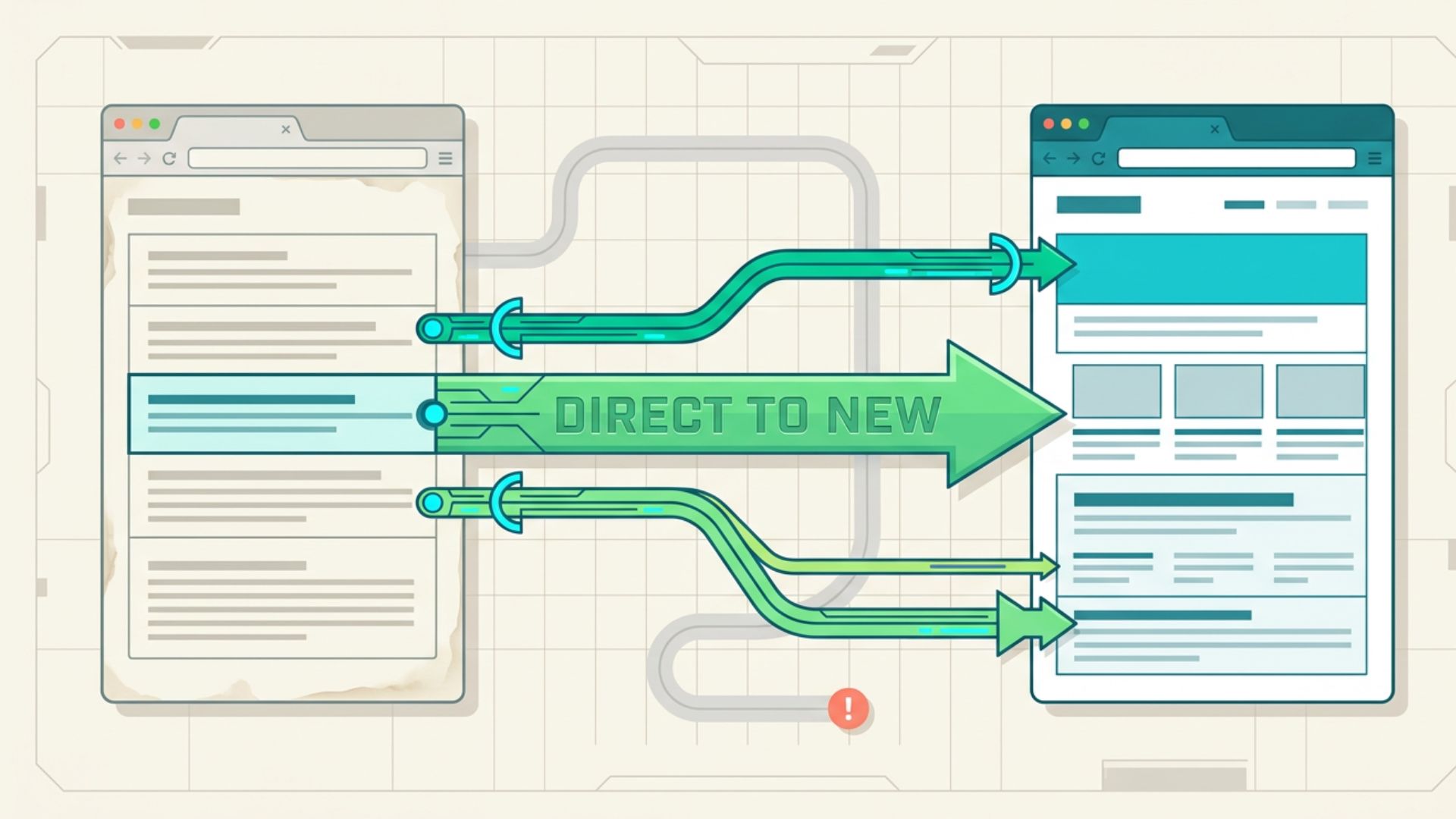

A 301 redirect tells browsers and search engines that a URL has moved permanently to a new location. Used correctly, it sends visitors to the right page, preserves valuable SEO signals, and prevents outdated URLs from becoming dead ends. Used carelessly, it can create redirect loops, weaken topical relevance, and send mixed signals to search engines. This guide explains when a permanent redirect is appropriate, when another option fits better, and how to apply one without harming site performance.
What a 301 Redirect Does
A 301 is an HTTP status code that indicates a permanent move. When someone requests the old URL, the server sends them to the new destination. Search engines also treat the target URL as the preferred replacement and may pass ranking signals associated with the original page.
A 301 redirect is more than a navigation shortcut. It communicates that the former address should no longer serve as the main version of the content.
The destination should closely match the topic and purpose of the old page. Sending an article about domain valuation to an unrelated homepage creates a poor visitor experience and gives search engines little reason to treat the two pages as equivalents. A direct page-to-page match is usually the safest approach.
Use a 301 After a Permanent URL Move
A permanent redirect is appropriate when a live page receives a new URL, and the previous address will not return. Common examples include shorter slugs, corrected URL wording, revised folder paths, and a move from HTTP to HTTPS.
Suppose a page once appeared at /blog/guide-to-aged-domain-names-2024/ and now lives at /aged-domain-guide/. A 301 sends traffic, bookmarks, backlinks, and search crawlers from the former address to the current one. Without that redirect, visitors may reach a 404 page while search engines must locate the replacement without a direct signal.
Site owners should also update internal links, canonical tags, and XML sitemaps to point straight to the current URL. The redirect protects outside links and saved addresses, while the internal updates remove unnecessary hops.
Avoid creating a new URL simply because a different slug looks slightly better. Every URL move introduces technical work and a period of search engine processing. Use a permanent redirect when the new address has a clear purpose, not for minor cosmetic edits.
Use a 301 During a Domain Migration
A 301 redirect is essential when a website moves to a new domain. Each valuable URL on the former domain should lead to its closest equivalent on the new one. Redirecting every page to the new homepage wastes relevance and makes important content harder to find.
The same principle applies when combining two websites. Pages covering closely related topics can move into one stronger destination. Pages with no suitable replacement may return a 404 or 410 status rather than forcing an unrelated redirect.
Domain migrations require detailed URL mapping before launch. Create a list of current pages, assign the proper destination for each one, test the rules, and keep the former domain active so visitors and crawlers can encounter the redirects.
Search visibility may fluctuate while search engines process the move. Monitor crawl reports, indexed URLs, organic traffic, backlinks, and rankings. Fix incorrect destinations or redirect chains as soon as they appear.
Use a 301 When Removing or Merging Content
A 301 can help when an outdated page has a clear and useful replacement. This often occurs during content pruning, product retirement, category cleanup, or article consolidation.
For example, three thin posts covering expired domain metrics might be merged into one detailed guide. Each retired URL can redirect to the combined resource, provided the destination genuinely answers the same search intent. Readers receive useful information, while relevant signals become focused on the remaining page.

A redirect is not required for every deleted URL. A discontinued page with no relevant substitute should normally return a 404 or 410 response. Sending unrelated pages elsewhere solely to avoid an error can confuse both visitors and search engines.
Ask one practical question before creating the rule: would someone arriving through the old link reasonably expect the page they receive? When the answer is no, a permanent redirect is probably the wrong solution.
When Not to Use a 301 Redirect
A 301 redirect is not the right choice for every URL issue. Avoid using one in these situations:
- Temporary moves: Do not use a 301 for short-term promotions, maintenance pages, regional tests, or A/B experiments. Use a 302 or 307 redirect when the original URL should remain the primary indexed address.
- Duplicate pages that must stay live: Use a canonical tag when similar or duplicate pages need to remain available. A canonical identifies the preferred version without redirecting visitors.
- Long redirect chains: Avoid routes such as URL A to URL B to URL C. Each extra step can slow page loading and increase the risk of redirect errors. Point the original URL directly to the final destination.
- Unrelated expired domains: Review the former topic, backlink profile, and site history before redirecting an aged domain. The destination should closely match the domain’s previous subject. Redirects created only to capture authority may offer little SEO value and carry added risk.
Choosing the correct method helps prevent SEO problems and poor visitor experiences.
How to Implement and Test a 301 Redirect
Set permanent redirects at the server or hosting level when possible. Common methods include Apache configuration files, Nginx rules, CMS redirect tools, hosting dashboards, and server-side application logic. The right method depends on the website platform.
Prepare a redirect map listing each old URL, its final destination, the reason for the move, and the correct status code. Test every rule with a browser, HTTP status checker, or website crawler.
Confirm that each former URL returns a 301 status, reaches the intended page in one hop, and avoids loops. Check for conflicting plugins, mixed HTTP and HTTPS rules, and destinations blocked from indexing.
After launch, review server logs and Google Search Console for crawl errors, unexpected 404 pages, indexing problems, and traffic losses. Keep redirects active while old URLs still receive visits or hold backlinks. Removing them too early can recreate dead ends and waste link value.
Conclusion
Use a 301 redirect when a URL or domain has moved permanently, and a relevant replacement exists. Careful redirect planning protects visitors, retains valuable search signals, and keeps domain migrations or content consolidation focused on the most appropriate destination.
PageWoo works with aged and expired domains that may carry established backlinks, search history, and residual traffic. This makes topical relevance, domain history, link quality, and destination fit essential factors before any permanent redirect is created. A well-matched redirect can make an established domain asset useful, while a careless one can introduce avoidable SEO risk.